
Everything you need to run a real job search.
One system for your resumes, cover letters, and applications — so nothing falls through the cracks when it matters most.
Know Exactly What You Sent
A recruiter calls about a role you applied to three weeks ago. You’ve edited the resume since then. What version are they looking at?
Vitae solves this. When you track an application, it automatically takes a snapshot of the resume version you submitted. Even if you edit that resume later, the snapshot preserves exactly what the recruiter received — so you’re never guessing.
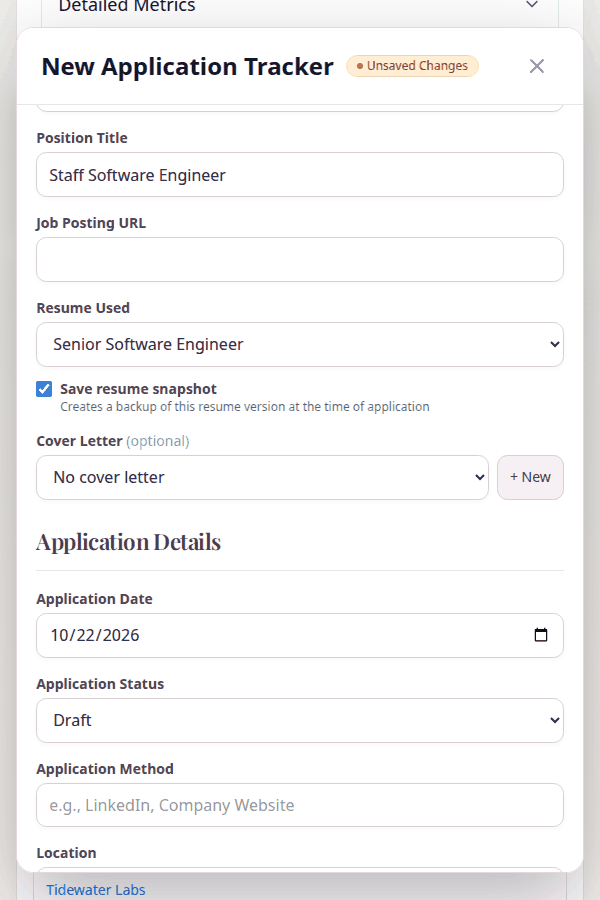
Resume snapshots are saved automatically when you track an application
Every Version, One Place
By week three of a real job search, you’ve got resume_final_v3_thisone.pdf sitting next to four other “final” versions in a folder you’ll never organize. You know this.
Vitae gives each version a real home. One for product roles, one for consulting, one tuned for that dream company — all managed from a single list with edit, design, export, and sharing actions for each.
Clone an existing resume to start a new version without rebuilding from scratch. Jump straight to Track an application or generate a Cover Letter — all from the same action menu.
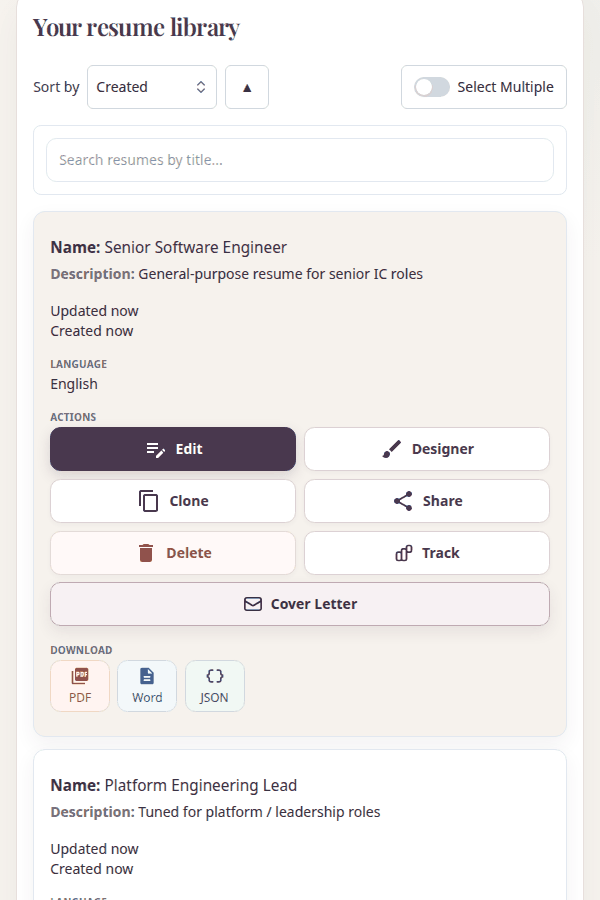
Multiple resume versions with quick actions for each
Stop Losing Track of Where Things Stand
Did they reject you, or did you just never hear back? Did you already apply to that company, or are you thinking of a different one? After a few dozen applications, it all starts to blur.
Log every application with the details that matter: company, position, date, status, method, location, work type, and the resume and cover letter you used. See your full search at a glance with stats for total applications, monthly activity, pending interviews, and follow-ups due.
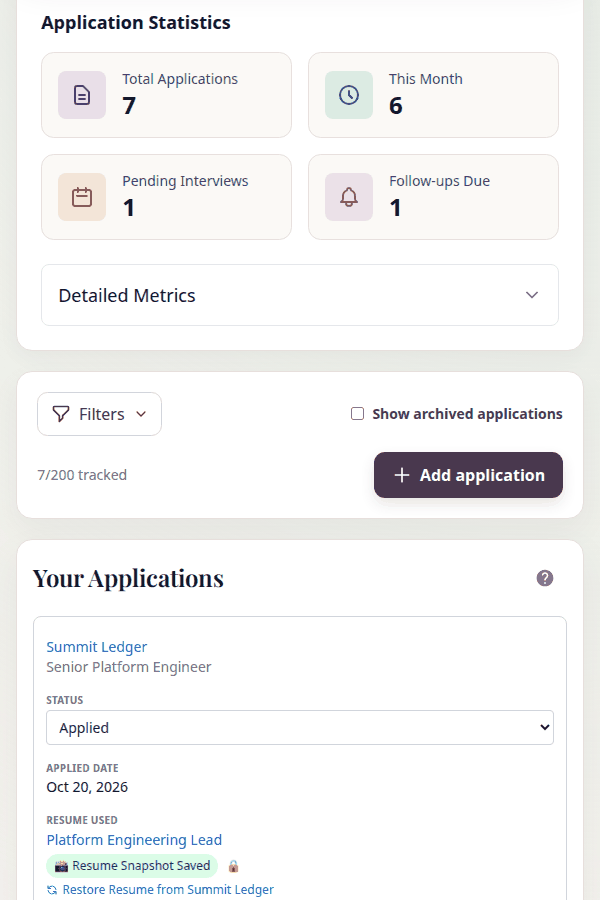
Application statistics and tracking dashboard
Build Something You're Proud to Send
Vitae’s structured editor lets you build your content section by section, then bring it to life in the Designer with professional templates across ATS-optimized, creative, traditional, and modern categories.
A live preview updates as you work, so you always see exactly what a recruiter will see. Control section order with drag-and-drop, toggle visibility, and export to PDF, Word, or JSON.
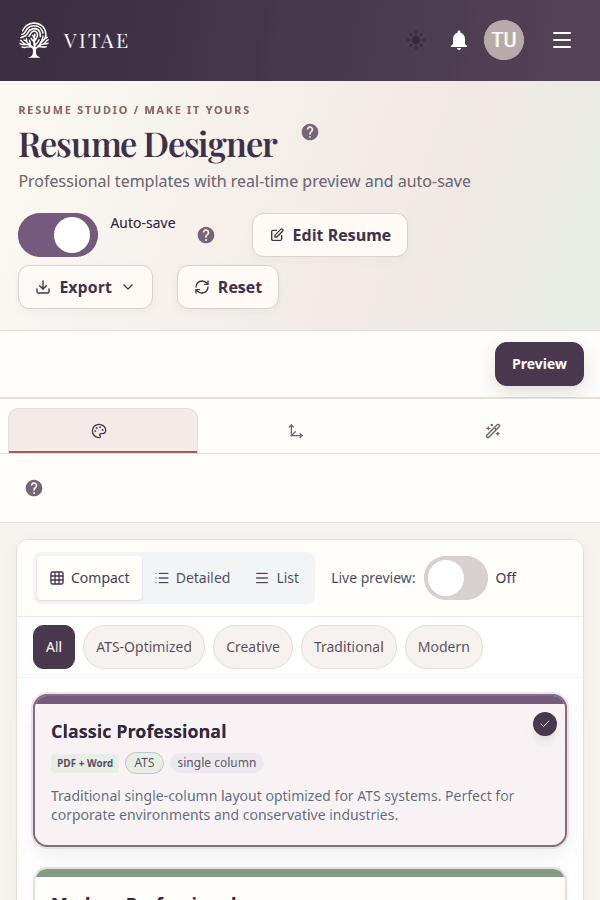
Template picker in the Resume Designer
Write It Once, Use It Everywhere
Retyping the same role description across four different resumes is the kind of busywork that makes job searching feel like a second job.
The Item Editor stores every piece of your professional history in one place: roles, education, skills, certifications, projects, publications, volunteer work, and more. Create it once, link it to any resume that needs it. Update it, and it updates everywhere.
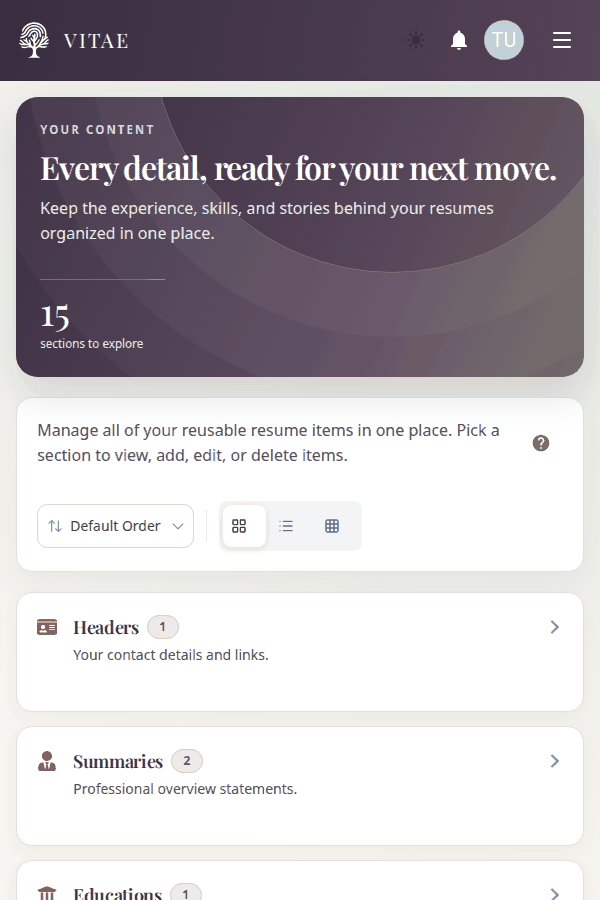
All your professional content, organized by category
Cover Letters Without the Blank Page Dread
Staring at an empty document at 11pm trying to sound enthusiastic about a job you’d actually love — that shouldn’t be the hard part.
From Scratch if you know what you want to say. Template if you want a role-specific structure — Professional Standard, Career Changer, Recent Graduate, Executive Leadership, or Creative & Conversational. AI Generate if you want a starting point you can make your own.
The AI path lets you specify company, position, industry, tone, and custom instructions. Link a resume so it has your background to work from, then shape the output until it actually sounds like you.
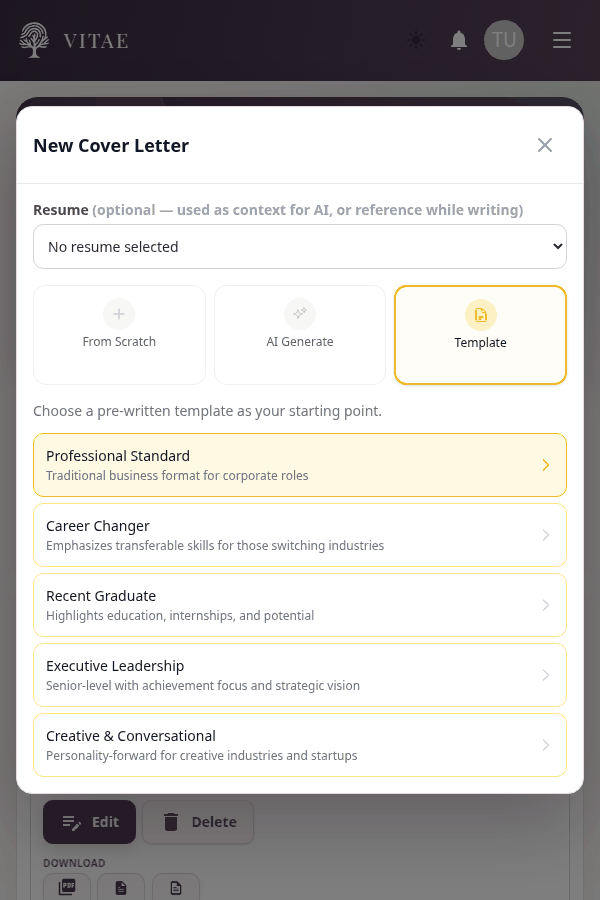
Role-specific templates to get you started
See Your Resume the Way a Recruiter Does
You’ve read your own resume a hundred times. But you’ve never seen it from the other side of the table — the recruiter spending six seconds on it, the hiring manager comparing your skills against the job description, the ATS parsing it for keywords.
Resume Health Check scores your resume’s structure and completeness, flagging sections that need attention with specific improvement tips.
Skills Matcher lets you paste a job description and instantly see which of your skills match, which are missing, and which you have that aren’t in the listing — with one-click actions to add or detach skills directly.
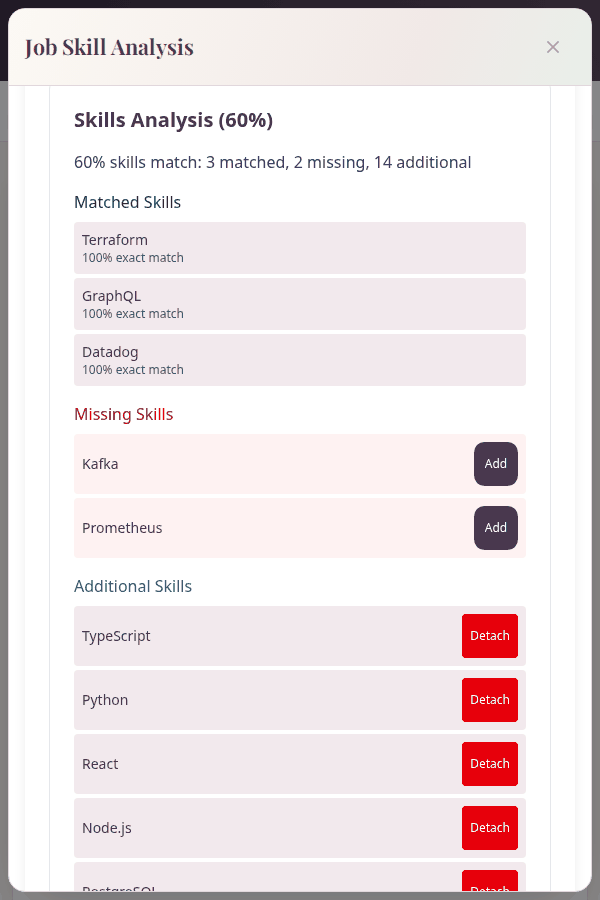
Skills Matcher with job description analysis
Share on Your Terms
Emailing a PDF attachment feels like 2009. But sharing a link to your resume means trusting whoever has the link with your personal information — unless you control what they see.
Choose between an Employer link (view-only) or a Review link (allows comments). Set an expiration window, toggle whether your contact information is visible, and decide whether to allow PDF downloads.
Share with a hiring manager, send to a mentor for feedback, or keep a bookmarked link for your own quick reference.
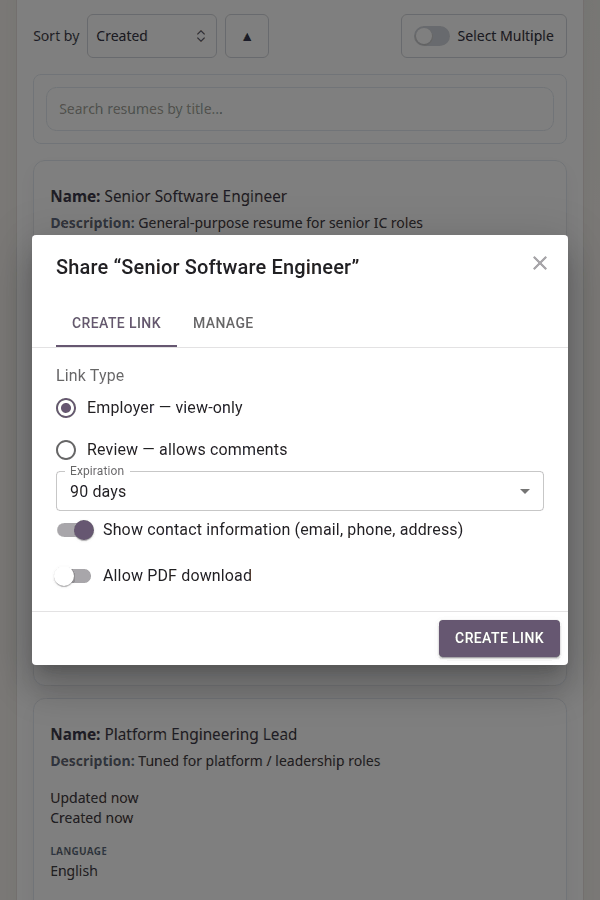
Granular sharing controls for every resume link
Spot the Differences Between Versions
You cloned a resume for a new target role and started editing. Now you can’t remember what you changed, what you kept, and whether you accidentally deleted the project section that was supposed to stay.
The comparison tool puts two resumes side by side and shows you exactly where they diverge. See an overall similarity score, check which sections are complete or incomplete across both versions, and identify the top action item — the most impactful difference to address.
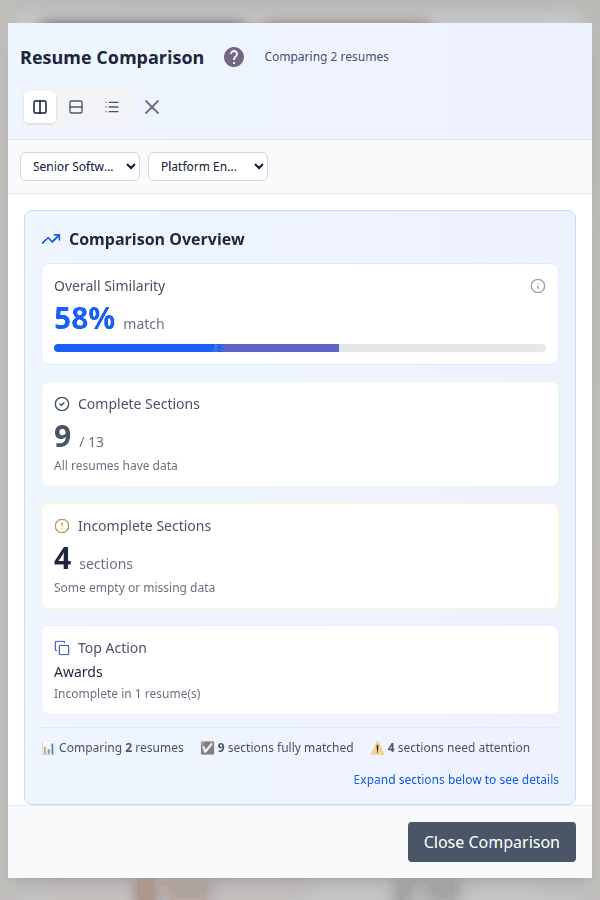
Side-by-side comparison with similarity scoring
Build your first resume in under 10 minutes.
The tools you’ve been putting together with sticky notes and spreadsheets — finally in one place.
Core features are free, no credit card required. See what’s included in each plan →
Build your first resume in minutes.
Get Started Free